
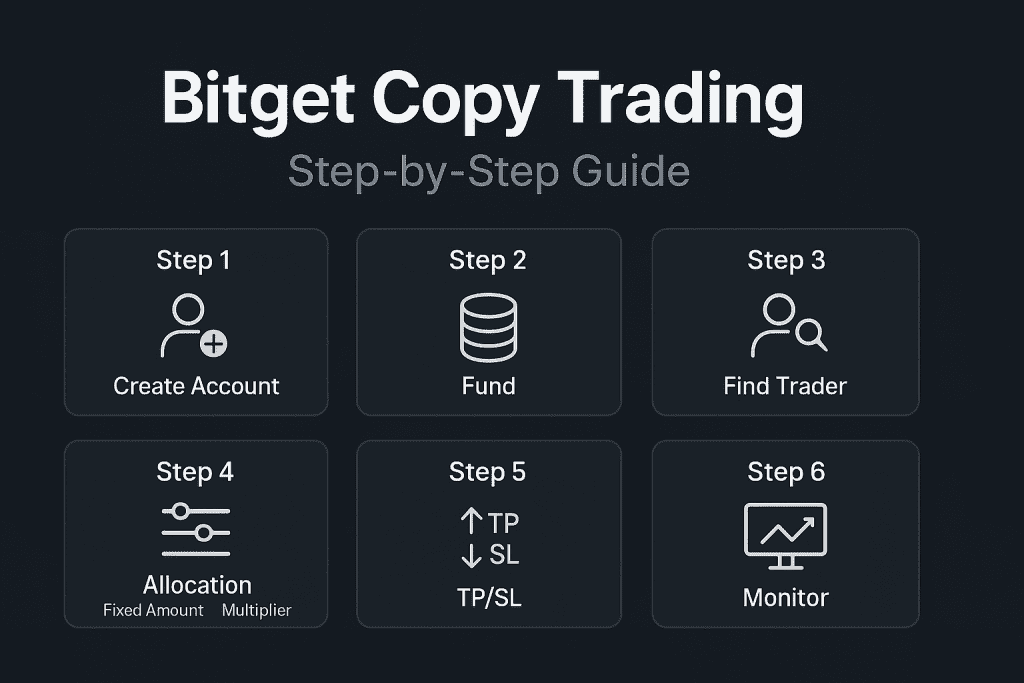
Follow this practical walkthrough to set up Bitget copy trading safely and efficiently. We’ll cover account creation, funding, trader selection, allocation (Fixed Amount vs. Multiplier), TP/SL, and ongoing risk management. If you’re brand-new to copy trading, start with our overview here: Copy Trading — NextGenTrade Ltd.
Table of Contents
- What you need before you start
- Step-by-step: enable copy trading on BITGET
- Choose your allocation mode
- First-day checklist & test trade
- Ongoing management (daily/weekly)
- Allocation templates by account size
- Troubleshooting common issues
- FAQ
1) What you need before you start
- BITGET account with basic KYC and 2FA enabled.
- Funding (e.g., USDT). You can deposit crypto or buy via card/fiat gateways on the exchange.
- Decide market type: Spot copy trading or Futures copy trading. Futures provide leverage but carry higher risk.
- Risk plan: Max loss per day (e.g., 3–5% of equity), max positions open, and per-order allocation cap.
2) Step-by-step: enable copy trading on BITGET
- Create/Log in to your BITGET account, complete KYC, and turn on 2FA (Authenticator + SMS/Email).
- Deposit or Buy USDT. If you hold another coin, convert a portion to USDT in the spot market.
- Navigate to Copy Trading. From the main menu, open the copy trading portal and select Spot or Futures.
- Filter traders. Sort by drawdown, months of track record, win rate, and average holding time. Avoid new traders with no history. (Learn our evaluation method in the NGT copy trading guide.)
- Open a trader’s profile. Review equity curve, max DD, typical leverage, number of open positions, and strategy notes.
- Click “Copy” and set your allocation mode (see next section).
- Set Fixed Amount (USDT per order) or Multiplier/Ratio (e.g., 0.1×–0.3×).
- Define max position amount (your hard cap for a single position).
- Choose leverage per pair (keep conservative; volatile pairs lower).
- Configure optional TP/SL defaults and slippage tolerance.
- Confirm and go live. Start with a small test allocation to validate fills and execution.
3) Choose your allocation mode
Fixed Amount (best for beginners)
Set a strict USDT amount for every copied order. This keeps risk predictable and prevents accidental oversizing when the trader increases their own size.
Multiplier / Ratio (scales with the trader)
Mirror a percentage of the trader’s size (e.g., 0.2×). Useful once you understand their typical sizing. Start small.
Essential risk safeguards
- Per-order cap: Limit to a small % of equity (see templates).
- Daily loss cap (manual rule): Pause copying for the day when reached.
- Max concurrent positions: Reduce per-order size if your trader opens many positions at once.
- Leverage discipline: Keep leverage consistent and modest.
4) First-day checklist & test trade
- Start with a tiny allocation and verify execution quality (entry/exit, slippage).
- Track your effective exposure when multiple copied positions open together.
- Confirm your TP/SL are respected and that partial closes mirror correctly.
- Document results; adjust per-order amount or ratio if volatility is higher than expected.
5) Ongoing management (daily/weekly)
Daily (5–10 minutes)
- Check open PnL, margin usage, and number of active positions.
- If daily loss cap is hit, pause copying until the next day.
- Avoid changing settings mid-trade unless risk is breached.
Weekly (20–30 minutes)
- Review equity curve vs. drawdown and average return per trade.
- Rebalance across multiple traders to avoid concentration risk.
- Consider adding low-maintenance trading bots for diversification.
6) Allocation templates by account size
Use these starting points and tailor to your risk tolerance:
Account: 100–500 USDT
- Fixed Amount: 1–3% of equity per order (e.g., 2–10 USDT).
- Max concurrent positions: 1–3.
- Daily loss cap: 3–5% of equity.
Account: 500–2,000 USDT
- Fixed Amount: 2–4% of equity (e.g., 10–40 USDT).
- Max concurrent positions: 2–4.
- Daily loss cap: 3–4% of equity.
Account: 2,000–10,000 USDT+
- Fixed Amount: 1–2.5% of equity (e.g., 20–250 USDT).
- Optionally try a small Multiplier: 0.1×–0.3× after observing the trader.
- Daily loss cap: 2–3% of equity.
7) Troubleshooting common issues
- Orders are larger than expected: Lower the per-order amount or ratio; set a stricter max position cap.
- Too many concurrent positions: Follow fewer traders or cut per-order amounts.
- Slippage or poor fills: Use liquid pairs, tighter slippage tolerance, and avoid major news spikes.
- Equity swings feel too large: Reduce leverage and allocation; raise your daily loss cap discipline.
8) FAQ — Bitget Copy Trading
Is Fixed Amount or Multiplier better for beginners?
Fixed Amount keeps risk predictable per trade. Consider a small Multiplier only after you understand the trader’s sizing behavior.
How much should I allocate per order?
Small accounts: 1–3% of equity; mid-size: 2–4%; larger: 1–2.5%. Adjust to the trader’s volatility and how many positions may be opened at once.
Can I copy multiple traders at once?
Yes—just avoid accidental over-allocation. Reduce per-order size or follow fewer traders if positions stack.
Do leverage and slippage change my risk?
Yes. Higher leverage increases liquidation risk; wide slippage worsens entries. Keep leverage modest and set a sane slippage tolerance.
Disclaimer: This guide is for educational purposes only and not financial advice. Crypto trading involves significant risk. Only trade what you can afford to lose.